In today’s digital world, smartphones store our most sensitive data — private chats, personal photos, banking apps, social media accounts, and confidential documents. If your phone falls into the wrong hands, your privacy can be compromised within seconds. This is where Perfect AppLock (App Protector) comes in as a powerful and reliable security solution.
Perfect AppLock is one of the best Android app protection tools that helps users lock apps, hide private content, and protect personal data from unauthorized access. In this detailed guide, we will explore everything about Perfect AppLock, including features, benefits, how it works, installation steps, and why it is a must-have app for privacy-conscious users.
🔎 What is Perfect AppLock (App Protector)?
Perfect AppLock, also known as App Protector, is an advanced Android security application designed to lock apps using a PIN, Pattern, or Fingerprint. It allows users to protect apps like WhatsApp, Facebook, Instagram, Gallery, Messages, Contacts, Banking Apps, and more.
Unlike basic app lockers, Perfect AppLock provides extra security layers, fake error screens, intruder alerts, and customization options that make it almost impossible for others to access your private apps.
🚀 Why You Need Perfect AppLock in 2025
Smartphone usage has increased massively, and so have privacy risks. Here’s why Perfect AppLock is essential:
- Protects personal and sensitive apps
- Prevents kids from opening restricted apps
- Secures banking and payment applications
- Stops friends or colleagues from snooping
- Keeps photos and videos private
- Provides peace of mind
Whether you are a student, professional, content creator, or business owner, Perfect AppLock helps you stay secure.
🌟 Key Features of Perfect AppLock (App Protector)
🔐 App Lock with PIN, Pattern & Fingerprint
Perfect AppLock supports multiple locking methods, allowing you to choose the most convenient and secure option.
👆 Fingerprint Lock Support
Modern devices can unlock apps instantly using fingerprint authentication for fast and secure access.
🖼️ Hide Photos & Videos
Protect your private media files by hiding them inside the app locker, away from the default gallery.
🚫 Fake Error Message
This unique feature shows a fake “App has stopped” message when someone tries to open a locked app, making them think the app is broken.
📸 Intruder Selfie Alert
Automatically captures a photo of anyone who enters the wrong password, helping you identify snoopers.
🔄 Relock Apps Automatically
Apps relock instantly after closing or screen off, ensuring continuous protection.
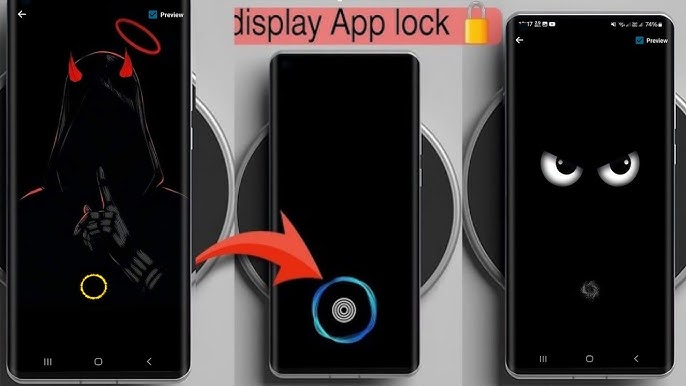
🎨 Custom Lock Screen Themes
Personalize your lock screen with different themes and styles.
🔋 Lightweight & Battery Friendly
Perfect AppLock runs smoothly in the background without draining battery life.
📲 Apps You Can Lock Using Perfect AppLock
Perfect AppLock can secure almost any app, including:
- WhatsApp, Telegram, Messenger
- Facebook, Instagram, TikTok
- Gallery & Photos
- SMS & Contacts
- Gmail & Email Apps
- Banking & Wallet Apps
- Play Store & Settings
This makes it a complete privacy protection app.
⚙️ How to Use Perfect AppLock (Step-by-Step)
Step 1: Download & Install
Install Perfect AppLock (App Protector) from a trusted source or the Google Play Store.
Step 2: Set Lock Method
Choose your preferred lock type: PIN, Pattern, or Fingerprint.
Step 3: Select Apps to Lock
Tap on the apps you want to protect.
Step 4: Enable Permissions
Allow required permissions for smooth performance.
Step 5: Customize Security Settings
Enable intruder alerts, fake error messages, and auto-lock options.
That’s it! Your apps are now fully secured.
🔒 Is Perfect AppLock Safe to Use?
Yes, Perfect AppLock is safe and secure when downloaded from a trusted source. It does not share personal data and works offline, ensuring maximum privacy. However, users should always review app permissions carefully.
📊 Perfect AppLock vs Other App Lockers
| Feature | Perfect AppLock | Normal App Lock |
|---|---|---|
| Fingerprint Lock | ✅ Yes | ❌ Sometimes |
| Fake Error Screen | ✅ Yes | ❌ No |
| Intruder Selfie | ✅ Yes | ❌ No |
| Media Protection | ✅ Yes | ❌ Limited |
| Custom Themes | ✅ Yes | ❌ Basic |
Perfect AppLock clearly stands out as a premium-level app protector.
👍 Pros and Cons of Perfect AppLock
✅ Pros
- Strong app security
- User-friendly interface
- Multiple lock methods
- Extra privacy features
- Works on most Android devices
❌ Cons
- Some advanced features may require premium version
- Not available for iOS