In today’s digital world, our smartphones and devices do everything—from streaming videos and playing music to hosting online meetings. But what if your device’s volume isn’t loud enough? Whether you’re watching a video, listening to music, or on a call, low volume can be frustrating. That’s where a Volume Booster – Sound Booster app becomes a game-changer.
In this detailed article, we’ll explore everything you need to know about volume booster apps, how they work, their benefits, and how to use them safely on Android and iOS devices.
🔍 What Is a Volume Booster – Sound Booster App?
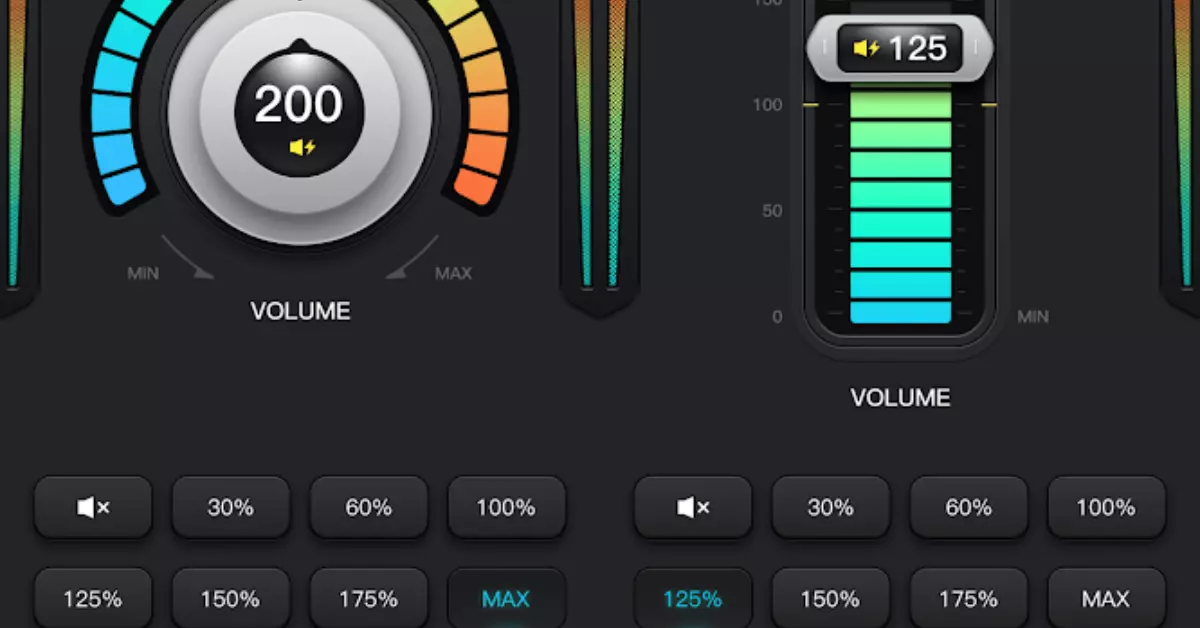
A Volume Booster or Sound Booster is a mobile app that helps you increase the audio output beyond the default limits set by your device manufacturer. It enhances:
- 🔊 Media volume (music, videos, games)
- 🎧 Headphone or Bluetooth speaker output
- 📞 Call volume
- 📢 System and notification sounds
Most apps work with a simple interface and can be toggled on/off to boost the sound in real-time without needing root access.
⭐ Key Features of a Good Volume Booster App
When searching for the best volume booster, look out for these features:
✅ 1. One-Tap Sound Boost
Easily boost sound with a single tap. Perfect for quick access during calls or while watching videos.
✅ 2. Equalizer Settings
An integrated equalizer lets you adjust bass, treble, and surround sound for a custom audio experience.
✅ 3. Bluetooth Volume Boost
Amplify the volume of your Bluetooth-connected headphones, earbuds, or speakers.
✅ 4. Floating Button or Widget
Quick access to boost volume from anywhere on your screen.
✅ 5. No Root Required
Most modern boosters work without root access—making them safe for any Android or iOS user.
📲 Best Volume Booster Apps for Android in 2024
Here are the top-rated Volume Booster apps for Android users:
| App Name | Key Features | Play Store Rating |
|---|---|---|
| Volume Booster GOODEV | Simple UI, great boost | ⭐ 4.5 |
| Super Volume Booster | Bass boost, equalizer | ⭐ 4.4 |
| Extra Volume Booster | System-wide sound increase | ⭐ 4.3 |
| Speaker Booster | Works even with low-end devices | ⭐ 4.2 |
🔐 Tip: Always download apps from the official Play Store to avoid malware.
🍏 Volume Boosters for iPhone – Do They Exist?
Unlike Android, iOS has strict system restrictions, which makes full-volume booster apps harder to implement. However, some apps and workarounds can still help:
- Boom: Bass Booster & Equalizer – Enhances music with 3D surround sound.
- Equalizer+ HD music player – Offers bass boost and EQ control.
📝 Pro Tip: Adjusting EQ settings in Settings > Music > EQ on your iPhone can enhance volume without a third-party app.
🛠️ How to Use a Volume Booster App Safely
Using a sound booster app is easy, but using it safely is important to avoid damaging your phone’s speaker or hearing. Follow these tips:
- 📵 Avoid maxing out the volume for extended periods.
- 🎧 Use headphones with volume limiters.
- ⚠️ Stop boosting immediately if you hear distortion or cracking sounds.
- 📱 Always use trusted apps with good user reviews.
🧠 Why Do You Need a Volume Booster?
Here are the most common scenarios where a volume booster is useful:
| Scenario | Problem | Solution |
|---|---|---|
| Watching movies | Dialogue is too quiet | Boost volume temporarily |
| Music in loud environments | External noise overpowers music | Amplify music volume |
| Online classes or meetings | Hard to hear the speaker | Enhance output sound |
| Elderly users | Hearing challenges | Increase system and app volume easily |
🔍 SEO Keywords (For Blog Optimization)
Here are some high CPC and trending keywords to naturally include in your blog post:
- Volume booster for Android
- Sound booster app free download
- Increase phone volume beyond max
- Best volume booster app 2024
- Boost headphone sound on mobile
- Speaker booster no root
- Louder music app Android/iPhone
- Free audio booster app
These keywords help attract traffic from users actively looking for solutions to low audio issues.
🎯 Conclusion
The Volume Booster – Sound Booster app is an essential tool for anyone struggling with low audio on their devices. Whether you’re watching your favorite series, listening to a podcast, or attending a virtual meeting, you deserve loud, clear sound.
✅ Choose a safe, reliable app
✅ Use the booster wisely
✅ Protect your hearing and your device